
Rename, Prefix and Suffix
Rename your images before exporting. Set custom names, add numbering, or apply a prefix and suffix across all images.
PixelLift lets you rename images before they are exported. You can rename images one at a time or use the bulk rename modal to update multiple images at once.
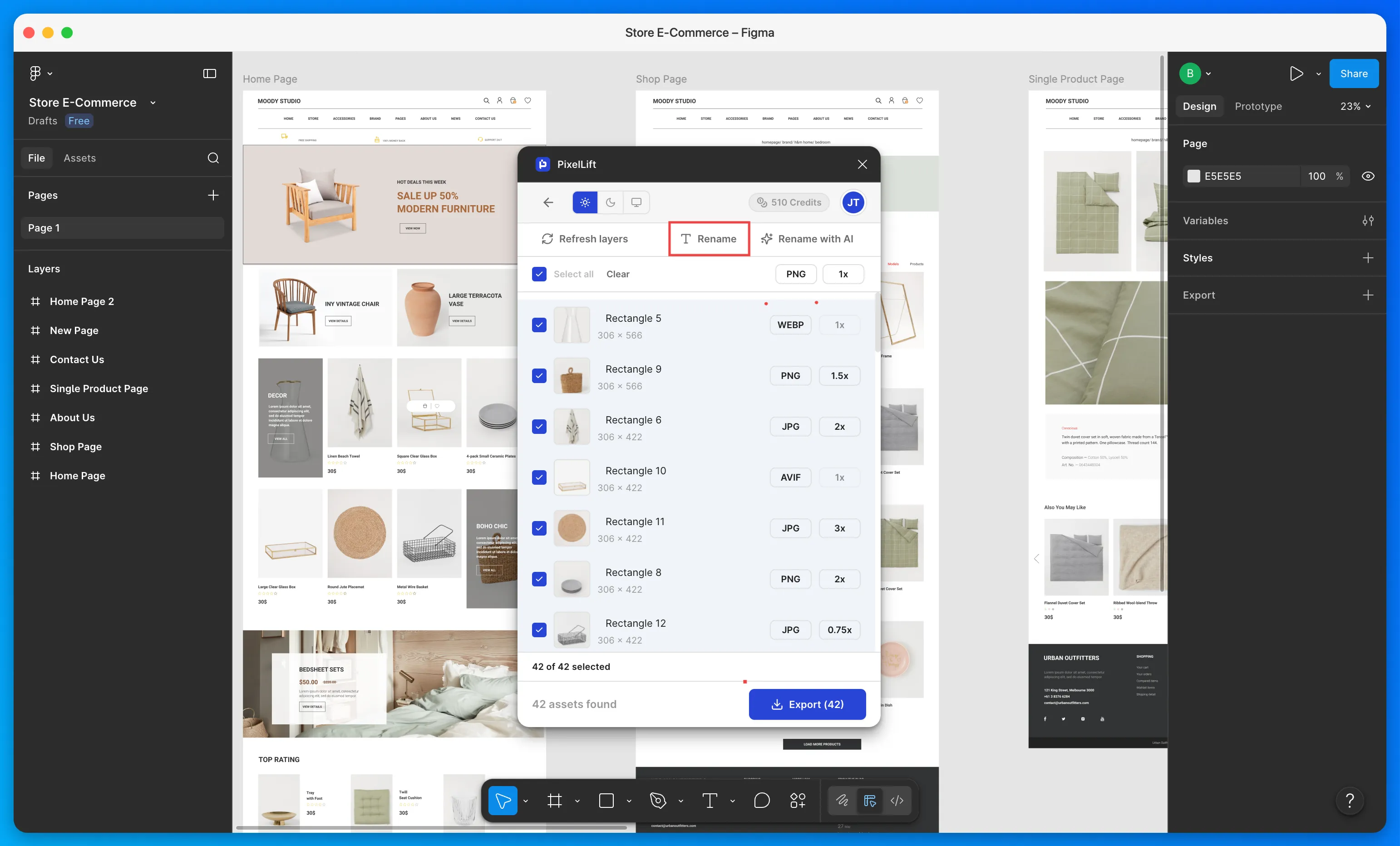
Rename a single image
Click on any image name in the list to edit it inline. Type the new name and it is saved instantly.
Bulk rename
To rename multiple images at once, select the images you want to rename and click the Rename button at the top. This opens the rename modal.
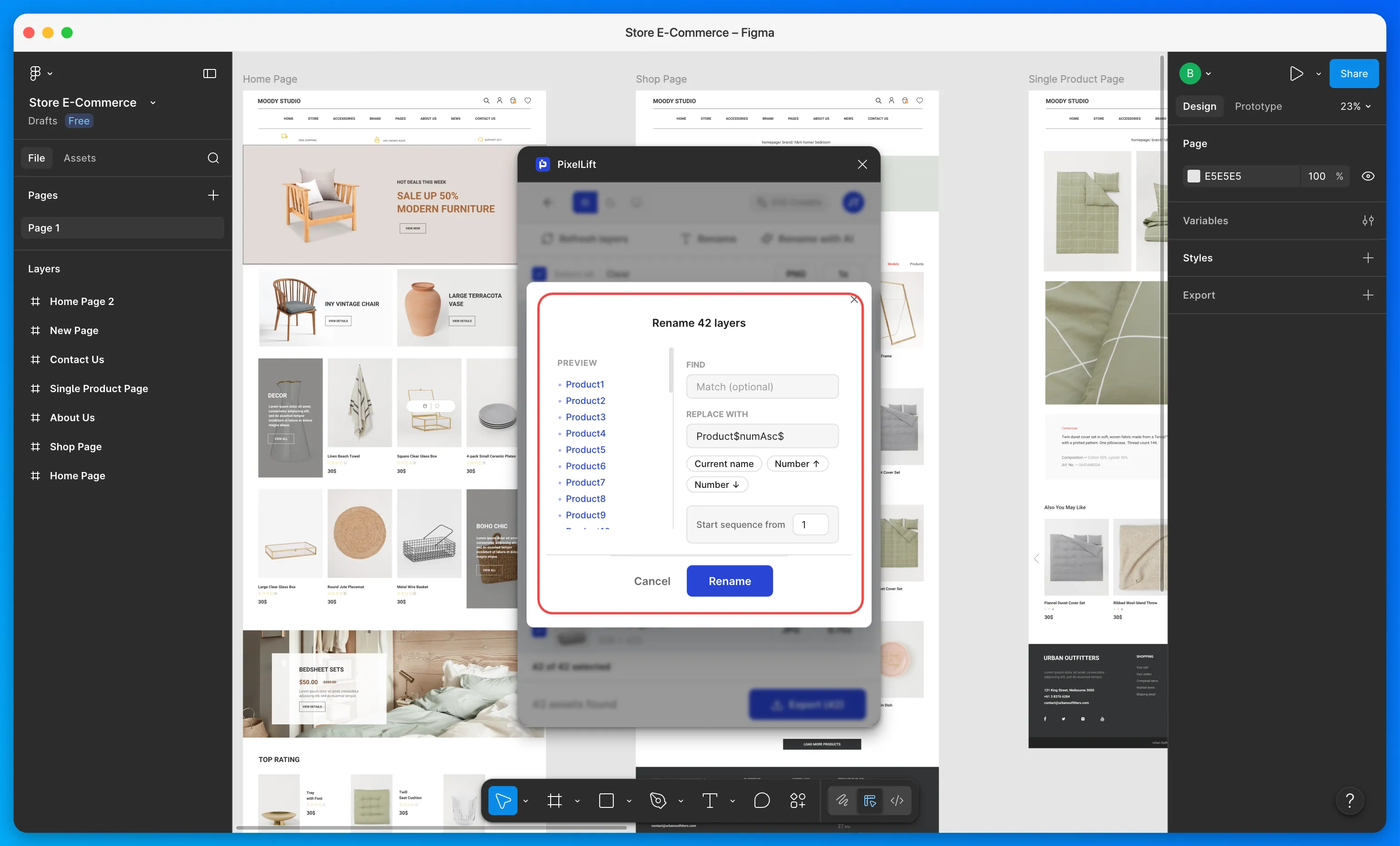
The modal shows a live preview of your image names on the left. As you type, the preview updates in real time so you can see exactly what the exported file names will look like before you confirm.
Match and rename
Use the Match field to find images by their current name. This works like a find and replace. Only images whose names contain the match text will be renamed.
Leave Match empty to apply the rename to all selected images.
Build a name with tokens
The Rename to field lets you build a name using tokens:
- Current name: keeps the existing layer name as part of the new name
- Number: adds a number to each image. Choose ascending or descending order and set any starting number you want
You can combine tokens and custom text. For example, setting the field to hero and adding a Number token will rename your images to hero-1, hero-2, hero-3 and so on.
Prefix and suffix
The rename modal also includes fields to add a prefix and suffix. These are applied to all selected images at once.
For example, a prefix of project-name and a suffix of v2 will turn hero-banner into project-name-hero-banner-v2.
When you are happy with the preview, click Rename to apply.
File names are used exactly as set when the ZIP is exported. Getting names right here means no manual renaming after download.